Jump to content
  • Forum banner

    I recently noticed I couldn't see the whole banner anymore, it's cut off a bunch on the right :
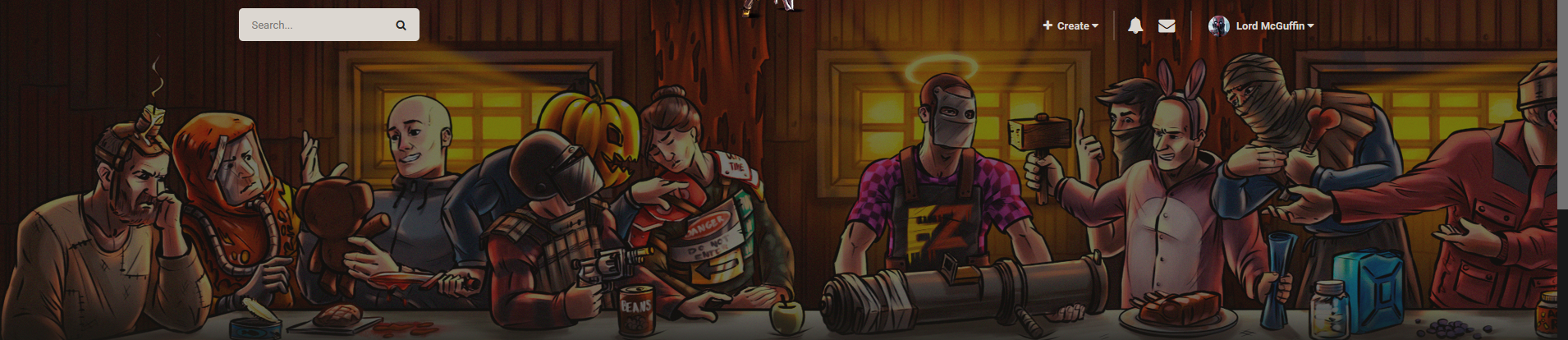
    image.thumb.png.9e7092518e5a25da75b22bbebad5eb34.png

    My rez is 1920, so that probably shouldn't happen. Don't know id there's another issue at play or not (an Invision update perhaps), but the quick fix is changing the height of the branding div from 460px to (or back to?) 360px :
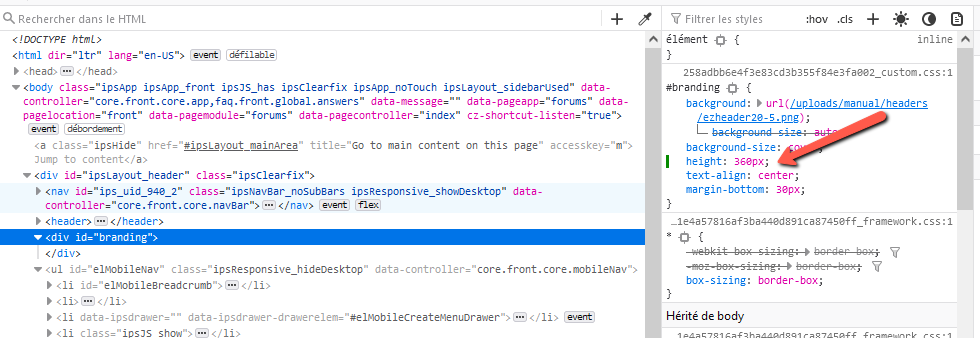
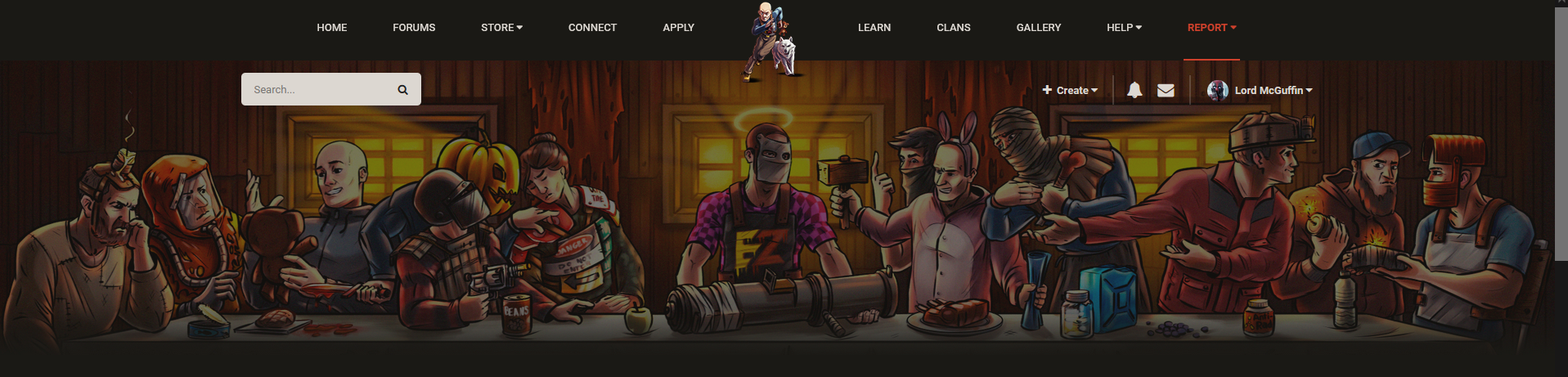
    image.png.ade38119e4261469587ca08250c3ca48.png

    image.thumb.png.d94d6f272f252ca0f1df4eab25dcade0.png

    It's a sin to cut off 1/5 of such a masterpiece!   😉

    Server: Pure

    User Feedback

    Lord McGuffin

    Posted

    Bump

    Still cut off. Still a sin!!!

    (Who created this incredible Rust version of the Last Supper anyways?) 

    Sgttuggle

    Posted

    mine looks the same as yours let me know when there is a fix for this

    • Staff
    TiffDust

    Posted

    it displays for me when i have my browser (firefox) at max window, my rez is 3840 
    on my iphone i only get the 2 guys on the far left.

    Screenshot 2022-05-19 at 14-47-14 Forum banner.png

    Add a reply
    Share any details that may help resolve the bug report.

    Create an account or sign in to comment

    You need to be a member in order to leave a comment

    Create an account

    Sign up for a new account in our community. It's easy!

    Register a new account

    Sign in

    Already have an account? Sign in here.

    Sign In Now
×
×
  • Create New...

Important Information

We have placed cookies on your device to help make this website better. You can adjust your cookie settings, otherwise we'll assume you're okay to continue.