
Jump to content
  • HOPPER BUG


    image.thumb.png.9a8a0d9b3715f7359ef021781b91db5b.png


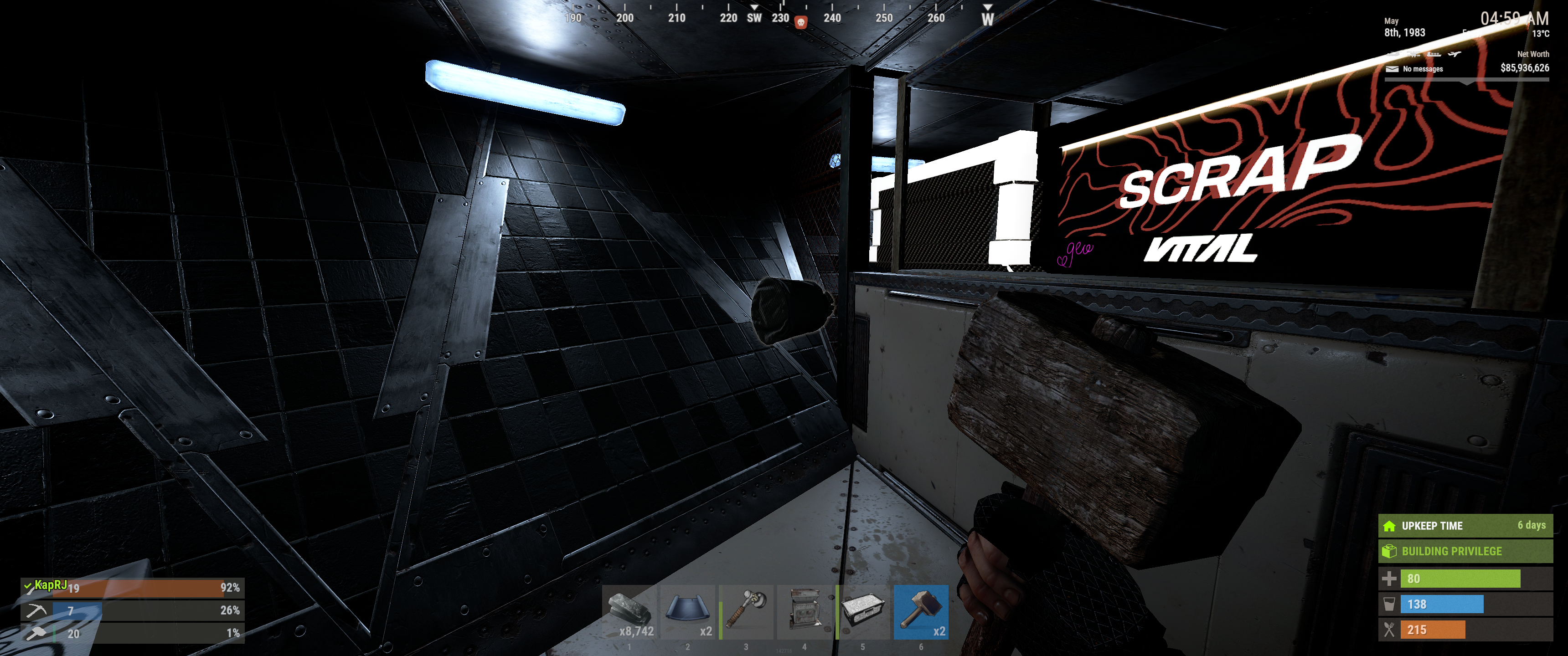
    I recently purchased a 20+ K sam sites and it got stock in the hopper. 

    I invesetded a hefty networth amount on my purchase and I watch it despawn in front of me. I just want it to be returned. 


    Server: Scourge

    User Feedback

    Recommended Comments

    • Staff
    Elixil3

    Posted

    Thanks for reaching out and explaining what happened, though the screenshot may not fully explain what's going on so I'll try my best to work out the problem you are having.

    After reviewing the screenshot provided, it appears the items were shown in an item bag on the ground rather than inside a hopper. Item bags will despawn if they aren’t picked up in time, whereas a hopper would retain its contents. Because the hopper itself isn’t visible in the screenshot my best assumption would lead to it likely caused by a line-of-sight issue from the item bag on the ground to the hopper itself.

    Unfortunately, line-of-sight problems are not a bug and you should thoroughly check the system works before leaving it unattended. Facepunch has also made adjustments to line-of-sight this wipe with other deployables (such as sprinklers and ceiling lights). As this behaviour originates from the base game, it isn’t something we’re able to control or prevent server-side.

    For that reason, and in line with our policies, we’re unable to compensate items lost due to Rust/Facepunch bugs or game mechanics.

    We do genuinely appreciate you taking the time to report it though, and we’d strongly recommend double-checking placement and visibility when transferring high-value items in the future to avoid this happening again.

    If you have any other questions or need clarification, feel free to let us know.


    Create an account or sign in to comment

    You need to be a member in order to leave a comment

    Create an account

    Sign up for a new account in our community. It's easy!

    Register a new account

    Sign in

    Already have an account? Sign in here.

    Sign In Now

  • Status Definitions

    Pending = We are still working on this report.

    Working = The issue is currently being looked into by a developer.

    Fixed = The issue has been fixed and the resolution will be available in the next version.

    Released = The fix has been released and is now live.

    Closed = Feedback or opinion better posted on our forum for discussion. Also for reports we cannot reproduce or need more information. In this case just add a comment and we will review it again.

×
×
  • Create New...

Important Information

We have placed cookies on your device to help make this website better. You can adjust your cookie settings, otherwise we'll assume you're okay to continue.