All Activity
- Past hour
-
 Subject: Ban Appeal – Sincere Apology and Request for a Second Chance Dear RustEZ Admin Team, I am writing this appeal to sincerely apologize for my behavior that led to my ban from the server. I understand that I broke the rules by using inappropriate language and saying the F-word, and I take full responsibility for my actions. I know that this kind of language is not acceptable, and I genuinely regret doing it. I want you to understand that I truly enjoy playing Rust, especially on the RustEZ server. I am always excited to get on and play, and it is something I genuinely look forward to. I really enjoy the server, the gameplay, and the overall experience it provides. Being unable to play has made me realize just how much I enjoy spending my time there. I want to make it clear that I never intended to hurt, offend, threaten, or cause any trouble for anyone. I am not someone who wants to be harmful or disruptive to the community. I simply made a mistake in the moment, and I understand that my actions have consequences. I sincerely promise that if I am given another chance, I will be more mindful of my language, respect other players and staff, and follow all the server rules. I have learned from this experience, and I have no intention of repeating the same mistake. I am not asking you to overlook what I did, but I am kindly asking you to consider giving me a second chance. I genuinely miss playing on RustEZ and would be very grateful for the opportunity to return and show that I can be a respectful member of the community. Thank you for taking the time to read my appeal and consider my request. I sincerely hope you will give me another opportunity. Kind regards, A RustEZ Player
 -
Hello RustEZ Admin Team, I would like to sincerely apologize for using inappropriate language and saying the F-word in the server. I understand that this was against the server rules, and I take full responsibility for my actions. I genuinely enjoy playing Rust, and RustEZ is a server I truly enjoy being a part of. I never intended to offend anyone, cause trouble, or make anyone feel uncomfortable. I want to assure you that I have no intention of being harmful or disruptive in any way. I understand that I made a mistake, and I promise to be more respectful and follow the server rules from now on. I kindly ask you to reconsider my ban and give me another chance to play on your server. Thank you for taking the time to read my appeal. I sincerely hope you will consider giving me a second chance. Kind regards.
-
Vinniethepooh joined the community
-
 HollowKing joined the community
 - Today
-
11/2/26 leaving Low Grade in Mini, it dissapears after log
tothorbear commented on tothorbear's bug in Issues
(US) Elysium -
 Djokovic joined the community
 -
 haza2383 joined the community
 -
This isn't really ugly enough but I made this one back when I was still just a player.

-
Offender: Vinniethepooh Battlemetrics | Steam Server: SEA Pure Time: 12:18 AM Length: 7 DAYS Reason: Stealing More Info: Player was reported for stealing another player's private airdrop, even after that other player had written in global chat that it was private. Instead of instantly apologizing for his wrongdoings, this player mocked the other player and boasted about being able to loot faster using in-game voice chat. After getting called out again in global chat, this player continued to try to justify his wrongdoings. A temporary ban was implemented to let the player cool off and reflect on his actions.
-
 ChudTheRaider - Allkeyshop joined the community
 - Yesterday
-
 Jeeface joined the community
 -
 Disso joined the community
 -
 Bismo funyuns changed their profile photo
 -
Can't put a storage adaptor on a drop box. Bonked and retried, tried with another authed person trying. No go.
-
 Nuaexi changed their profile photo
 -
 cubeclip joined the community
 -
Need to remind folks of the limit of one unique Custom location per person. I'm seeing the same door on four of the locations I've gone to so far.
-
To celebrate the New Year, we want to showcase your work as our logo until February. To enter, simply submit your entry in this thread. While we're going for ugly, we want to see some effort. AI assistance is not allowed in any capacity. You do not need experience to participate! If you're just passing by, please feel free to react to your favorite entries. We will use this to determine the top 3 to win prizes! We will be using the first-place logo as our own for January. Last Event's Winner Credits @Lord McGuffin Prizes First Place - $15 Store Credit + Work featured Second Place - $10 Store Credit Third Place - $5 Store Credit Deadline Submissions must be in on or before December 25th to be entered. If you miss the window, feel free to submit anyway so the community can see your work!
- 1 reply
-
- 4
-

-
I count one total ranch on the entire map.
-
Seems to have corrected itself, finally...Will report if it happens again
-
Placed Toilet from rewards stash, is not raising stats, & getting dehydrated while AFK. Starting doing this that I noticed, last night Nov 3rd. New wipe Nov 4th still doing it. US Survival
-
 Myocardium changed their profile photo
 -
I bought VIP; it caused a constant gift-giving bug on the Scourge server...well, actually all of them, but I play on Scourge mainly. Up till this point I have done everything to try to make it stop... I think it's a result of my bank holding the payment. I'm not sure if it is, but it's the only thing I can think of.
-
 SauceMasterFlex joined the community
 -
Thank youuuu :))) And of course i will take my remaining jail time to read up on the rules again and i will make sure to not break any of them and have a clean language in the future, because this is not only important to you but also important to me. My goal is and always has been to create friendships and by playing provide value to the community and the server as a whole and i really appreciate you giving me a second chance. May your cows always be happy Beamcan
-
 Monkeymilk joined the community
 -
 darkdragco changed their profile photo
 -

Autoban Racism on [EU] RustEZ Survival PvE
Cyberbunny replied to Beamcan's topic in Ban/Mute Appeals
After further review of the situation you will get a second chance. Just one. The ban will be lifted once 72 hours have passed, but it will remain on your record. There will be no additional chances as this post should encourage you to change how you speak in our servers and to abide by the rules. Take a few minutes before rejoining, and refresh yourself on the rules to avoid any chance of breaking them. If you are unclear on any of them, or aren't sure what is permitted, reach out to the staff and we'll be happy to clarify them for you. - No raiding, griefing or looting of any kind. - No mic or chat spam, player disrespect, politics, racism or harassment. - No camping loot rooms, monuments or any highly concentrated areas. - You may build in caves but you must ensure safe passage for other players. - No blocking water ways, building around monuments or large areas of unused land. (Please read the splash page as well, as each server type has slight variations regarding specific features of those servers.) Welcome back. (Please bear in mind, this is a one-time ban reversal. No further rule infractions of this nature can happen. Thank you!) - Last week
-
Where o where to build a toilet?
-
 Shrouded9824 changed their profile photo
 -

Autoban Racism on [EU] RustEZ Survival PvE
Petrolhead2114 replied to Beamcan's topic in Ban/Mute Appeals
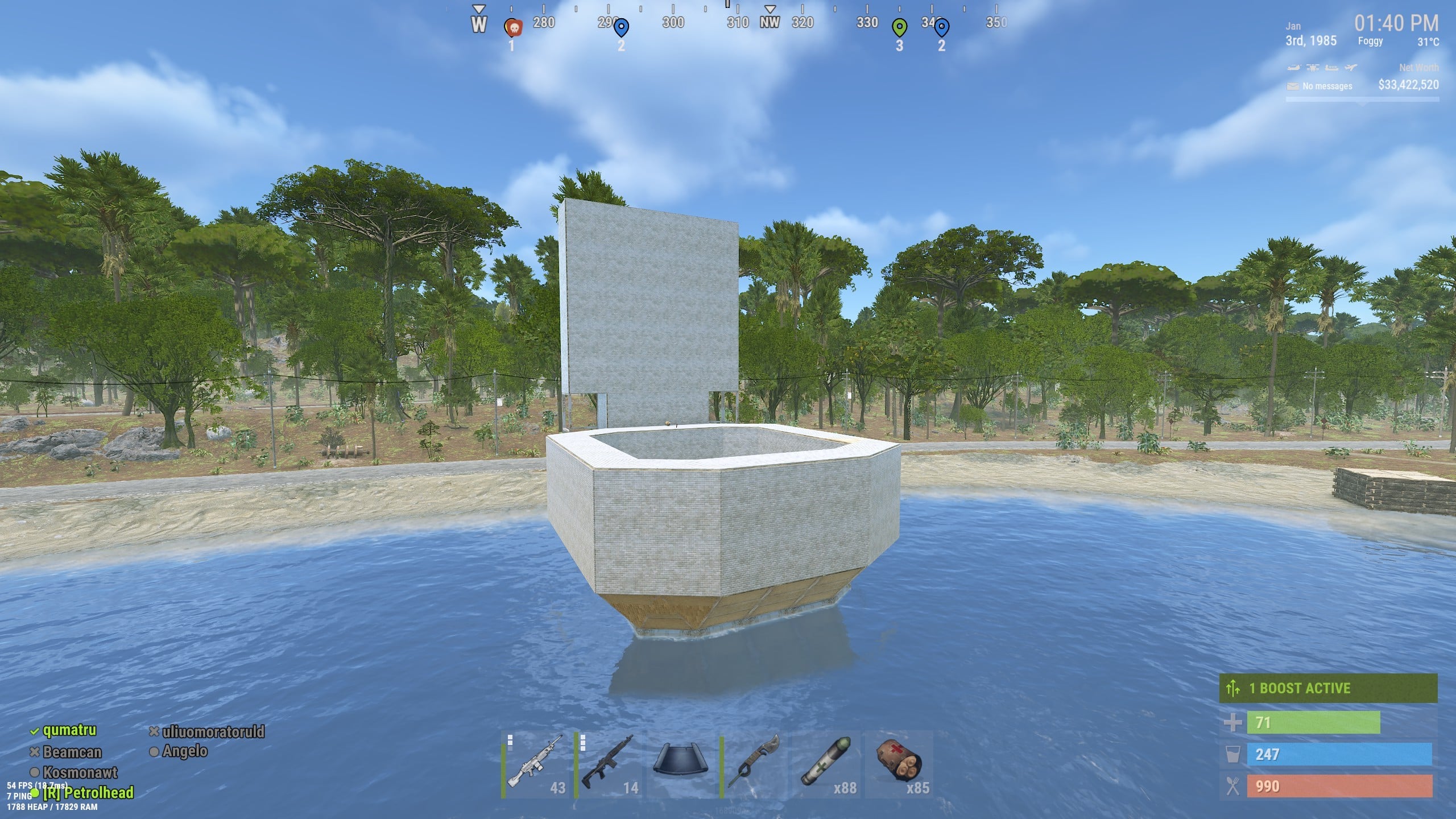
I completely understand the need for this auto banning system, however I do feel a little context goes a long way. This was a complete user mistake, for which they have apologised and explained the error of using the wrong chat. It would be a sad situation if common sense could not be applied to incidents like this and a warning system be implemented, 2nd strike being a permanent ban. Beamcan joined the server a few months back and had been a fun guy to have around, getting the EZ Rust community on board, creating more role play based areas, with a chilled out lake house spot in the jungle. A hotel with shared workbenches etc for the community to use. Launch site bradley and heli beacons helping some lower level players to get involved. Building a warship, heavily donated resources from the community in the last wipe. I think it would be a sad day to lose a player over something they have apologised over, which in truth was a misjudged message in the wrong chat. I do hope this appeal gets fair attention and the ban overturned with strict last chance warnings. -
 Clumsy changed their profile photo
 -
Well there is a difference between saying a word thats meant to be racist or just like i did. It was meant almost like "bro" or brother (as you can see from its context) and i am not in the slightest against a certain race and did not mean to express as such. I do understand that you have set that rule and i sincerely apologize for that since i really want to play on your servers within your rules. I have made many friends there and was looking forward to continue the friendships, so it would be really sad if i get forced to play somewhere else because of such an accident. So i apologize again and i hope you can give me atleast this one pass and i promise it will never happen again in the future.
-
Autoban Racism on [EU] RustEZ Survival PvE
Cyberbunny replied to Beamcan's topic in Ban/Mute Appeals
Hi Beamcan Thank you for appealing. With the current cancel culture in the world, racism in all aspects of society is being closely scrutinized. While we do understand that it still heavily permeates music, comedy, movies, and other media, it is something we do not feel is appropriate to have in our servers. Words such as what you used, are not welcome in any context. Here are resources that you can explore to learn more: guidetoallyship.com https://guidetoallyship.com/ Anti-Racism Glossary https://guides.library.georgetown.edu/antiracism/glossary Anti-Racism Resources https://antiracismresources.hsites.harvard.edu/ The ban will not be lifted. You are solely responsible for what happens on your account. We wish you the best of luck. -
 Quinoa changed their profile photo
 -
LET's GO..!
-
My biggest problem with the Rust zombies in general regardless here or other servers. My car won't protect me, they will clip through and kill me. Also when I'm cruising on a train in low speed they will still clip through and kill me. Edit: so far zombie 3.0 unable to clip through and attack me but when I stop while the zombies is underneath sometimes they just appear on the train. Good times. Also the speed is fine, gave me enough time to draw my weapon out to shoot.
-
hope no one looks at the farm areas and guns for those for they wont be there
-
dont think it was the player base as much as the price to host a server in that region was just way too high to justify for it had more players than EU