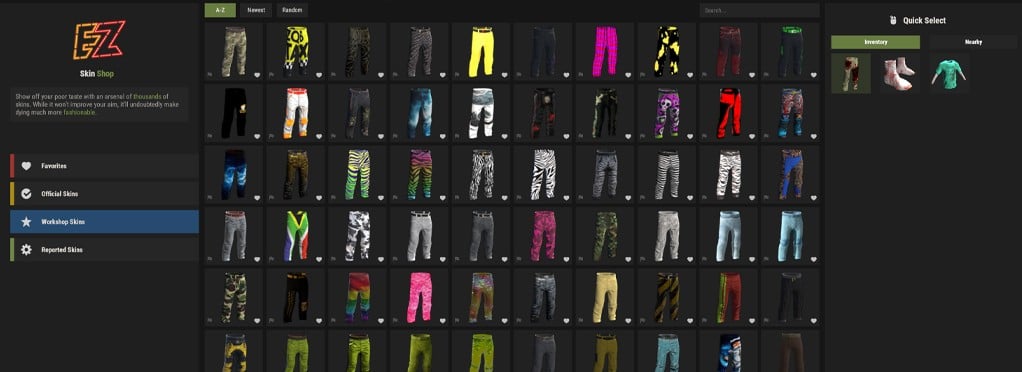
Skin Shop
The Skin Shop allows you to apply skins to items in your inventory or nearby deployables. Open it at any time using /skin.
Selecting an Item
If you are holding an item in your hotbar when you use /skin, the Skin Shop will automatically select that item.
You can also use the Inventory or Nearby tab in the quick-select menu on the right to choose another item or deployable.
Browsing Skins
Use the menu on the left to browse Favorites, Official Skins, and more than 140,000 Workshop Skins.
The Official Skins tab only displays skins owned by your Steam account.
Favorites and Reports
Select the heart icon on a skin card to add it to your Favorites tab. Use the flag icon in the bottom-left corner to report broken skins, visual issues, or problematic content.
Contributors
 3
3