You no longer need a placed bag to access the home interface. Every bed or bag you place becomes a teleport point automatically. This also works with camper modules on modular vehicles.
You can run /home anytime to see your saved homes and teleport to them.
Open the home menu
View your homes and teleport from anywhere.
/homeTip: Run this command from in game chat.
How homes work
- Picking up or destroying a bag removes that home automatically.
- You can delete homes manually from the menu.
- Players can have up to 10 homes at once.
- Each teleport costs credits.
- Costs increase the more you teleport.
- Prices reset every night at midnight EST.
Note: Homes are tied to your bags and beds. If they disappear, the home disappears too.
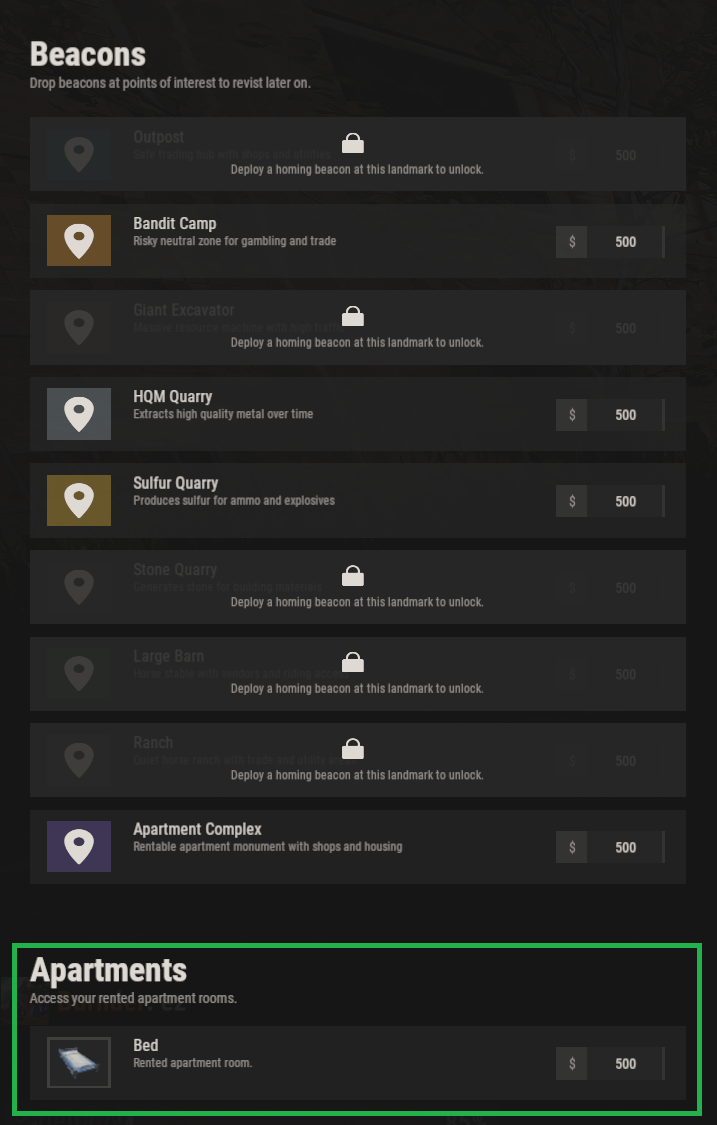
There's now a new spot on your home HUD for owned apartments. To activate the Apartment BED, you need to rent a room from the Concierge inside the Apartment Complex. After this is done your bed is assigned (screen shot below).
Related
Contributors
 5
5
 3
3
 1
1