How to view my balance / credit?
You can view it here → RustEZ Credit or you can view it by scrolling all the way down → Store / Wallet
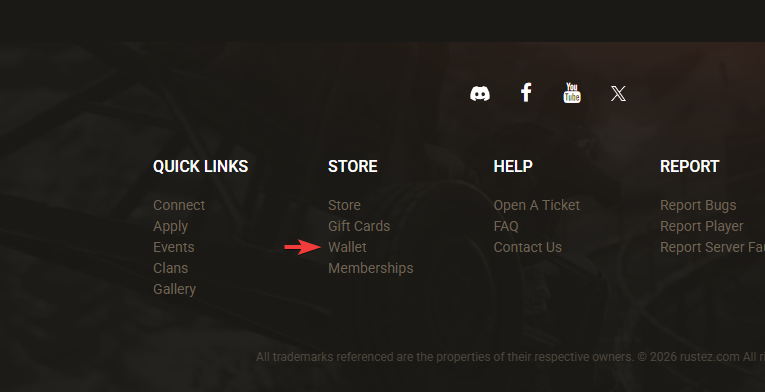
You can view it here → RustEZ Credit or you can view it by scrolling all the way down → Store / Wallet
You can unlink your Steam or Discord account from your RustEZ account settings. If you originally registered using Steam or Discord, you must set a manual password on your RustEZ account before the site will allow you to unlink that login method.
If you registered using Steam or Discord and have not set a manual password yet, you will need to do that first.
If you do not know which email address is associated with your account, cannot access that email, or do not receive the password reset email, please create a help ticket. Staff can help send the password reset email or assist with the unlinking process.
You can update the email address on your RustEZ account from your account settings.
After saving, you may need to re-activate your account. Check the inbox for your new email address and follow the instructions in the confirmation email.
If you do not receive the confirmation email, check your spam or junk folder first. Make sure the email address was entered correctly, then try again.
Changing your email address does not create a new RustEZ account. Your account, purchases, linked services, and server access should remain attached to the same profile.
If you cannot access your account or are unable to complete the email change, please contact RustEZ support for help.
Whether you have an issue with a store item, server issue or admin we are here to help.
We aim to get back to you within a reasonable time frame, you can always ask an admin on your server for further information. Help tickets are actioned from oldest to newest.
You can message an admin directly from our staff directory or create a help ticket.
Any ban may be appealed in the Ban/Mute Appeals section of our website; however, we do not lift bans for language which has only one usage, that being purposefully racist or severely derogatory.
We have and will continue to maintain a zero tolerance for racism. As of April, 2021 we have updated our auto-ban filters to include slang and words that is often intended as derogatory, but may also have usage that is not purposefully racist. Only in this scenario will the appeal be considered and only if logs clearly indicate such. If accepted, the ban will be changed to a temporary ban and said player informed that the language used will not be tolerated in any context in our community. No chance to appeal a language ban in the future will be given, regardless of the context.
Your player history, behavior, and positive contributions and interactions within our PvE community is not considered in an appeal for racism or language bans.
Any ban may be appealed in the Ban/Mute Appeals section of our website. There is no format for appealing as we can easily pull up your account via your profile. To appeal, reply to your ban topic posted by the admin who committed the ban. If you were banned by our auto-ban, or a ban thread was not created, submit a new thread.
We do allow memberships to be transferred to alts accounts or other players. Keep in mind that once it is transferred it no longer is yours (unless you own the other account as well.) Send us a help ticket to request a transfer.
You cannot delete your account manually. Please contact us to request account deletion or to retrieve and remove any personal information we have stored. Account deletions are irreversible!
We do not allow manual accounts. If you're having issues registering through Steam please contact us.
You cannot change your username manually but can send us a request to do so for you at https://www.rustez.com/help We enforce usernames so it reflects your actual steam name.
We have placed cookies on your device to help make this website better. You can adjust your cookie settings, otherwise we'll assume you're okay to continue.