
Death
-
Posts
16,350 -
Joined
Content Type
Profiles
Forums
Help
Issues
FAQ
Features
Gallery
Store
Events
Applications
Everything posted by Death
-
What do you mean by vip items?
-
NPC vending machines have increased stock limits to better support our PvE economy. Once an item sells out, its stock will slowly replenish at vanilla rates, but the machine will not be fully restocked until the daily reset. Limiting full restocks helps protect the server economy. If an item or trading method is ever affected by an exploit, this prevents unlimited purchases and helps minimize the potential damage. NPC vending machines are fully restocked at 12:00 AM Eastern Time alongside our other daily cooldowns and resets. Players can also complete the High Demand Requisition to trigger an NPC vending machine restock as its community reward.
-
Changed Status to Closed
-
Loot is expected. While I do agree it needs a buff I'm not going to classify this as a bug.
-
Changed Status to Working
-

Add either more animals or "wandering" Hords of zombies
Death replied to rogturtle23's topic in Suggestions
Most of our custom AI is disabled due to server performance issues. Too much is being added to the game and not enough optimization right now sadly. -
Because our VIP is lifetime we have no plans to ever run a sale for it. It's already reasonably priced and the offering far exceeds its value. For comparison, most servers charge the same price for a monthly subscription.
-
Per the community vote we will be enabling decay on our Pure servers for the month of August at 50% vanilla rate. This will require players to keep their cupboards stocked with the required materials to ensure their bases have upkeep to prevent decay. This change is to help boost economy for basic resources and help restrict unreasonable builds, while not punishing players who just like to build. For the last week of August we will run a new poll to see if players would like to keep it after having experienced it an entire wipe. Based on the results of that poll we will either disable it, or continue running it for the foreseeable future. If it is voted to become a primary feature of the server we plan to scale it to vanilla over the span of a few months, increasing it by 15% each month until we reach vanilla upkeep rates, or until player feedback states otherwise.
- 6 replies
-
- 14
-

-

-

-
Subscriber has completely evolved after we made Elysium free to play. Now it's basically a monthly VIP with the additional benefits it had before. They have access to all in-game VIP perks including the daily VIP. I didn't fully comprehend the feedback here so feel free to elaborate on parts I skimmed over. As for the indexing issue with the action menu that'll be fixed in a new update coming out today. The frontend is still a WIP
-
We understand people come from different backgrounds and may use certain words differently amongst themselves, but we do not allow racial slurs anywhere on our servers, including sleeping bag names. We have no way of knowing the context or intent behind it, so everyone is held to the same standard. We are making a one-time exception and approving this appeal. Going forward, please keep all names and chat clean. Any similar issue will result in the ban being reinstated without another exception.
-
Well thankfully we can just math this one out. I wanted to go longer but my ping ate my mini (totally wasn't my flying.) Despite your request not to use consumables (idk why since players would be using them) I was able to get 8,750 stone in 2.29 minutes. For 1.4 million stone that would be about 6 hours and 26 minutes. Let's say 8 hours to account for restocking supplies and dropping off at your base. This was done on a live server (during low peak) using a jack hammer, ore tea and bear pie. You could argue most players wouldn't get all this day 1, but I'd also argue most players won't have 1.4 million upkeep day one either. This isn't something you have to do every single day as I've proven here. Just an hour of farming would get you about 210k stone per day. So in less than a week you would have all the upkeep you'd need the entire month only farming 1 hour per day. This is of course vanilla upkeep, now divide this by 2. Video posted in #memedia if you want to see how I ran the test. I'll try to run a longer test but I don't have the time right now.
-
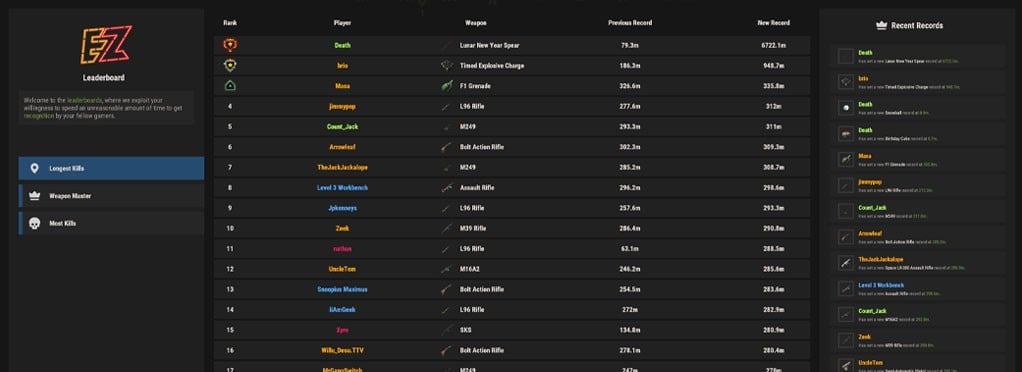 The Leaderboards track the server's top combat records and allow players to compare their performance with others. Use the categories on the left to browse Longest Kills, Weapon Master, and Most Kills. New top records are announced in chat for the entire server to see. When you surpass another player's record, the new record and previous record holder are also displayed in chat. Longest Kills Displays the longest-distance kills recorded on the server, ranked by the distance between the attacker and their target. These records are not limited to a specific weapon and represent the longest overall kills achieved by players. Weapon Master Displays the longest-distance kill recorded with each weapon in the game. Every weapon has its own record, allowing different players to become the Weapon Master for their preferred weapon. Beating the current distance for a weapon replaces the previous record and announces the achievement in chat. Most Kills Displays the players with the highest total number of kills recorded on the server. Rankings are updated as players continue to earn kills.
 -
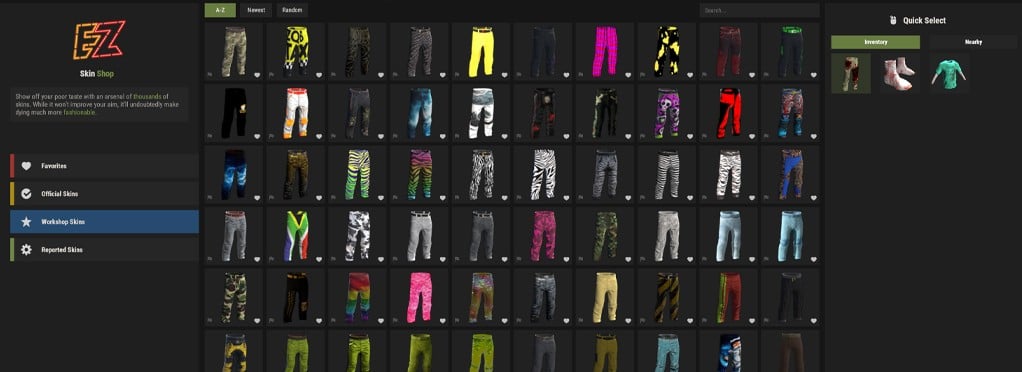 The Skin Shop allows you to apply skins to items in your inventory or nearby deployables. Open it at any time using /skin. Selecting an Item If you are holding an item in your hotbar when you use /skin, the Skin Shop will automatically select that item. You can also use the Inventory or Nearby tab in the quick-select menu on the right to choose another item or deployable. Browsing Skins Use the menu on the left to browse Favorites, Official Skins, and more than 140,000 Workshop Skins. The Official Skins tab only displays skins owned by your Steam account. Favorites and Reports Select the heart icon on a skin card to add it to your Favorites tab. Use the flag icon in the bottom-left corner to report broken skins, visual issues, or problematic content.
 -
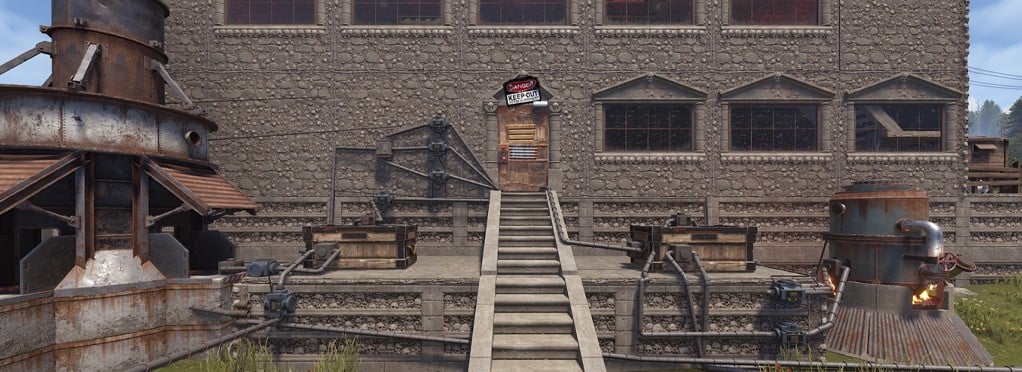 Expanded Automation extends Rust’s industrial system by allowing adaptors to be placed on many more entities than vanilla supports. This includes BBQs, composters, fireplaces, mixing tables, fish traps, beehives, recyclers, repair benches, hitch troughs, and several resource-production entities. Some supported entities may appear as though an adaptor cannot be placed on them, but placement will still work. This is a client-side visual limitation in Rust and is not something we can control. Connect them to your pipe network to move compatible items in and out automatically, giving you more control over farming, cooking, recycling, processing, and resource management throughout your base.
 -
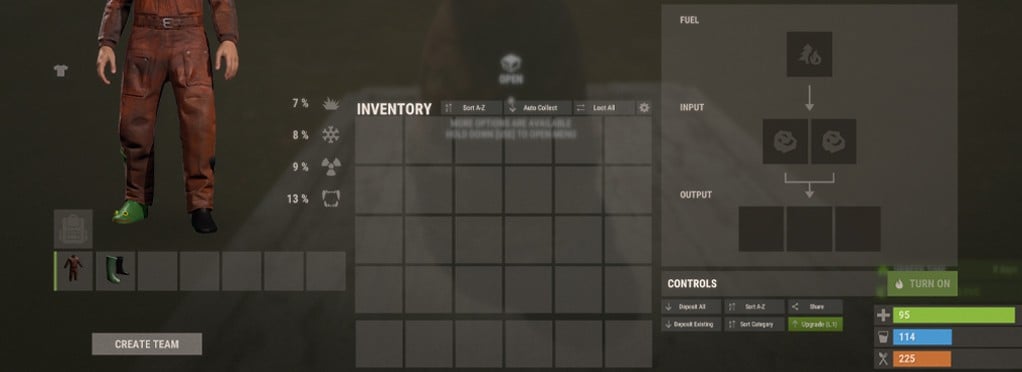 Entity Levels let you combine the productivity of multiple entities into a single upgraded entity. This reduces the number of active objects around your base without sacrificing production. Supported entities include furnaces, refineries, water pumps, purifiers, water catchers, water barrels, composters, and sprinklers. Each level improves the entity’s relevant stats, including processing speed, output, capacity, fuel use, water flow, or power consumption. Upgrading requires another copy of the same entity. Early levels have no additional cost, while higher levels also require Net Worth. This allows large production setups and farms to remain powerful while using fewer physical entities.
 -
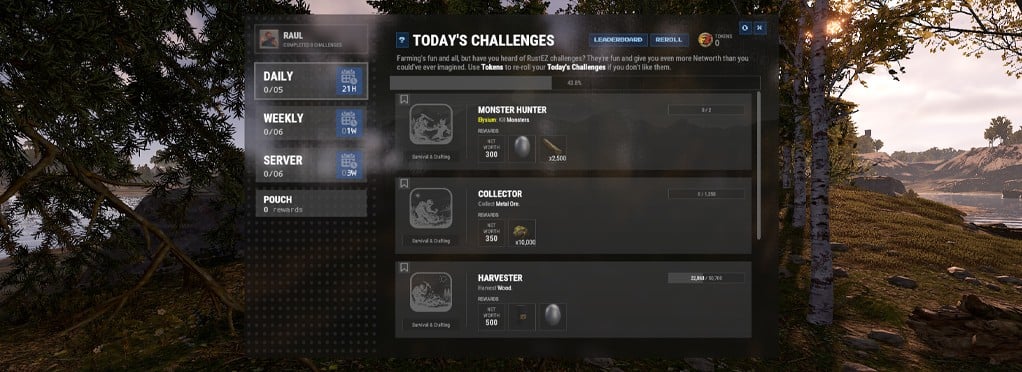 Challenges give you daily, weekly, and server-wide objectives to complete for Networth and item rewards. Type /ch to open the Challenges menu. Complete the listed objective, then return to the menu and claim your reward. Challenges may involve gathering resources, travelling, killing enemies, surviving, or completing other activities. Daily challenges reset each day. Weekly challenges unlock one day at a time, and server-wide challenges are completed through the combined effort of all players. Use the bookmark icon to pin challenges to your screen. Daily challenges can also be rerolled with Tokens, but any existing progress and unclaimed rewards will be lost. Server-wide rewards NOT CLAIMED during the current wipe, will automatically be stored into the Pouch at wipe for use in the next wipe. Pouch rewards expire, so claim them before the displayed timer runs out. Also, with server challenges, it's important to watch the first couple that are completing in the first few days of wipe and put a good amount of effort towards them. Server challenges are a "all or none" challenge system. If you earn the first one, you will automatically earn the rest that are completed.
 -
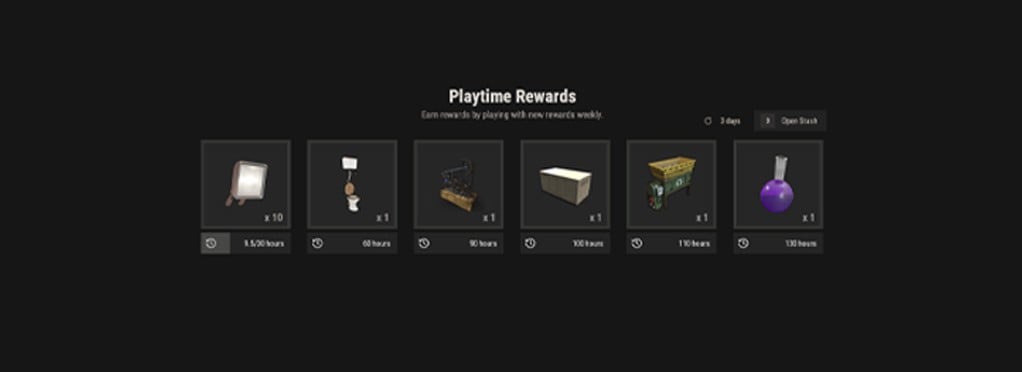 Playtime Rewards are found below Daily Login Rewards in the /daily menu. They let you unlock items normally purchased from the store simply by spending time on the server. Your playtime progresses through several reward tiers, with each milestone unlocking a new item. Both active and AFK time count toward your total. Toilets provide a safe way to remain AFK. While seated, they pause your metabolism and provide comfort, preventing hunger and thirst from killing you while you are away. Claimed rewards are placed in your Stash and can be withdrawn at any time. Your Stash is wipe-proof, so stored items carry over between wipes.
 -
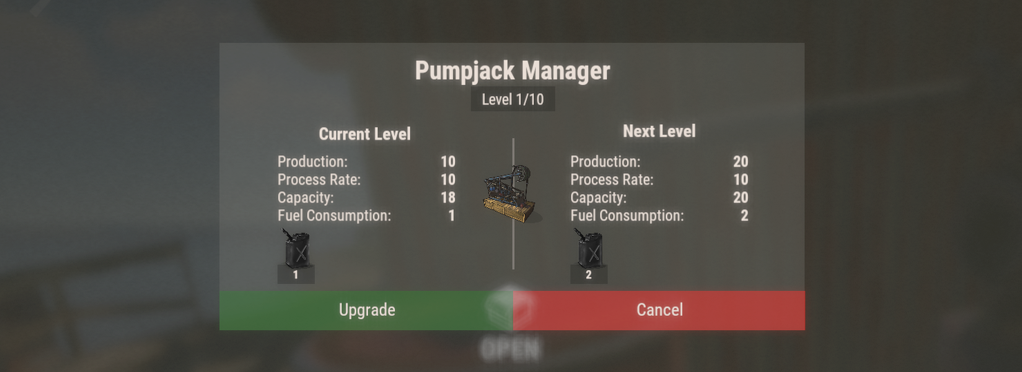 Pumpjacks produce crude oil that can be refined into low-grade fuel. Public Pumpjacks are located at Water Treatment, Power Plant, Train Yard and occasionally specialty custom monuments. Personal Pumpjacks can be purchased from the RustEZ store and earned via Playtime rewards. Because Pumpjacks were removed from the base game and require special placement, personal versions cannot be obtained through normal gameplay. Personal Pumpjacks can be upgraded by combining them with additional Pumpjacks. Each level increases production, up to level 20 for a maximum of 20 times the normal output. A level 20 Pumpjack produces the same amount as 20 separate Pumpjacks. To upgrade a Pumpjack, open either its fuel or output container and select the upgrade option.
 -
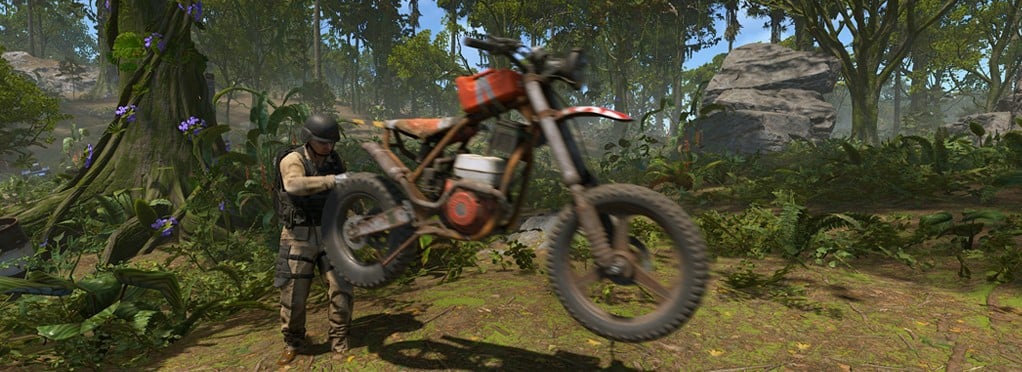 Portable Vehicles let you carry vehicles as items in your inventory along with their existing and player added fuel. They support all vehicle types, including boats, minicopters, scrap transport helicopters, submarines, snowmobiles, and more. Place a Portable Vehicle in your hotbar to mount it directly, or throw it to deploy the vehicle into the world to use or add more fuel. Deployed vehicles can be picked back up using a Salvaged Hammer where their automatic mount status is restored. Portable Vehicles can be stored, sold, or traded before use. Only the owner and their team members can pilot the vehicle, while other players can still use available passenger seats.
 -
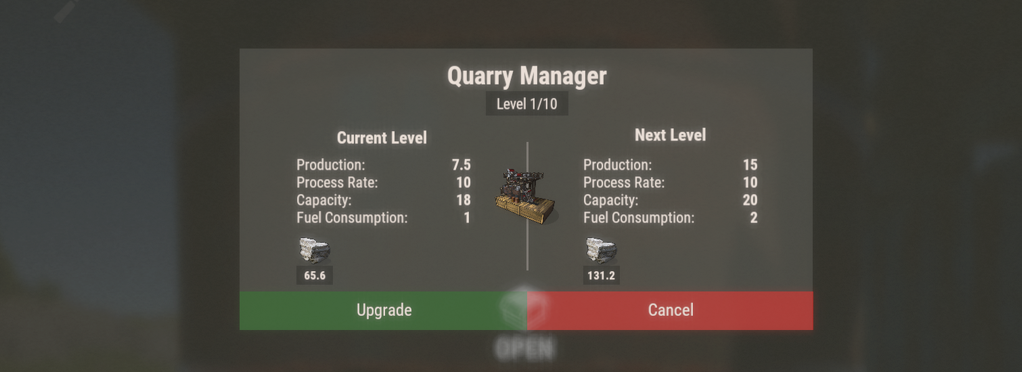 Quarries are deployable machines that can be placed on survey craters to collect resources. Resource types and yields vary by location and biome. To find a suitable location, craft or find or buy Survey Charges in the specialty page of /shop page 2 and throw them on flat-ish ground away from rock formations, foundations and roads (they have a large footprint). When a survey crater appears, a stone will fly out, giving you the chance to place your quarry. A level one will only produce stone. The more it's upgraded the more resources it produces. Quarries can be upgraded through the drum or output container. Each upgrade increases storage capacity and production. The upgrade menu displays the required cost and improved stats, with a maximum level of 10.
 -
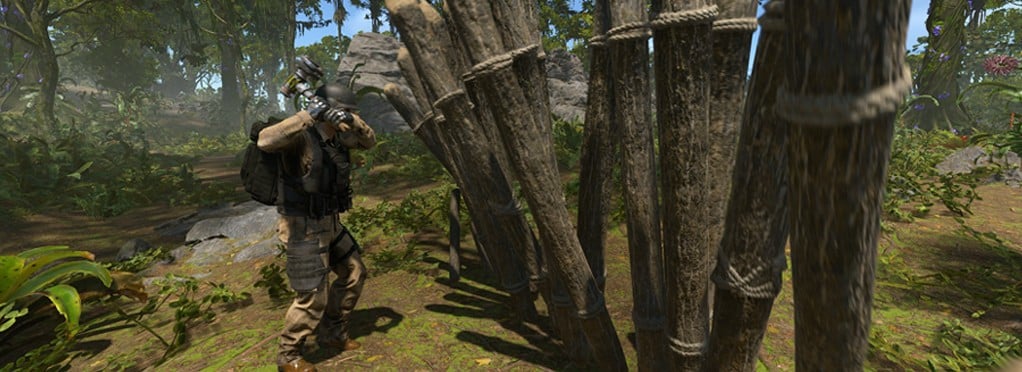 The Remover Tool is built into the Salvaged Hammer, which can be bought, crafted, or found while playing. The hammer loses durability when used but can be repaired at a workbench. Strike an object you own or are authorized to access to remove or pick it up. Retrieved items keep most of their health, taking only a small amount of damage in the process. The Salvaged Hammer is also used to pick up Portable Vehicles and return them to your inventory.
 -
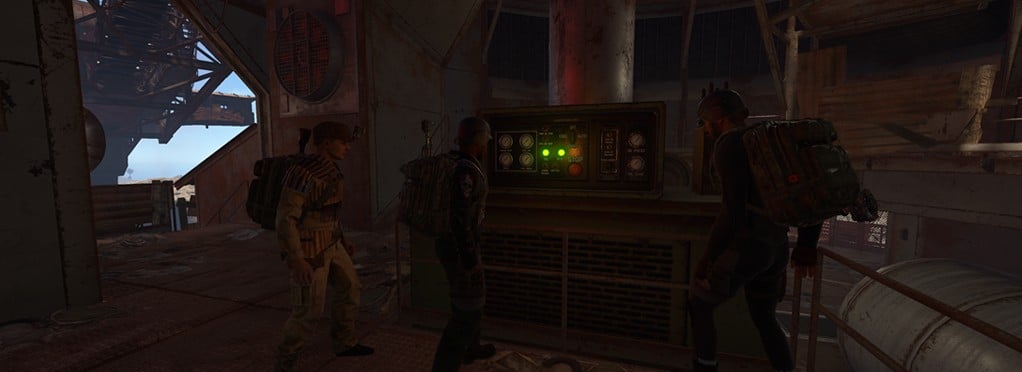 Instancing gives each player their own separate experience when using shared facilities such as quarries, pumpjacks, and the Giant Excavator. Multiple players can use the same location at the same time without affecting each other’s resources, progress, or rewards. These facilities will run even when you are offline and will stop consuming fuel when output is at full capacity. It also applies to major events such as Bradley and the Attack Helicopter. Players who participate and deal enough damage receive their own personal loot, removing the need to split rewards or decide who gets each item. This allows public facilities and events to remain available to everyone while ensuring each player is rewarded for their own participation.
 -
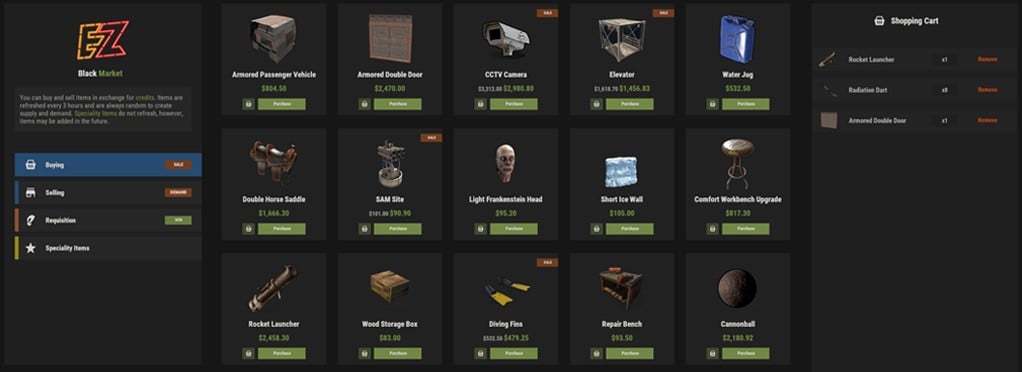 The Black Market uses credits as its currency and is divided into four tabs: Buying, Selling, Requisitions, and Specialty Items. Buying The Buying tab displays 20 randomly selected items and refreshes every three hours. Items placed on sale receive a 10% discount. Subscribers receive an additional 10% discount that stacks with sale prices. Selling Sell a rotating selection of resources in exchange for credits. The Selling tab displays 20 randomly selected resources and refreshes every three hours. Resources marked as being in high demand pay 10% more than their normal selling price. Requisitions Requisitions are server-wide challenges that require players to donate a specific resource or amount of credits before the timer expires. Every donation contributes to the same shared goal. Completing a requisition activates its listed reward for the entire server. Rewards include vendor restocks, market refreshes, cost resets, welfare increases, and other server-wide benefits. Specialty Items The Specialty Items tab contains a fixed selection of unique tools, equipment, vehicles, and services that are not included in the normal market rotation. This includes special farming tools such as the Shovel and Sickle, the Remove-O-Matic, the Geiger Counter for locating resource nodes, portable vehicles, distress signals, and other useful equipment.